Line drawings are surprisingly useful: coloring pages for kids, tracing practice for drawing students, tattoo stencils, embroidery and wood-burning patterns, or just a clean outline portrait for a profile banner. The traditional way is tracing paper and a pencil. The faster way takes about ten seconds.
This guide shows both routes with real examples — a portrait, a cat and a landscape — using PixDeep's Image to Line Art tool. One runs entirely in your browser for free; the other uses AI to redraw the scene as clean, printable line art.
What you'll need
- One photo with a clear subject: a portrait, a pet, a building, a still life
- Any modern browser. The free mode never uploads your photo
Method 1 — Free line tracing, right in your browser
The tool has a Free mode that traces the edges of your photo with a Canny edge detector running on your own device. Nothing is uploaded, there is no account, no queue and no limit.
Step 1 — Drop in a photo
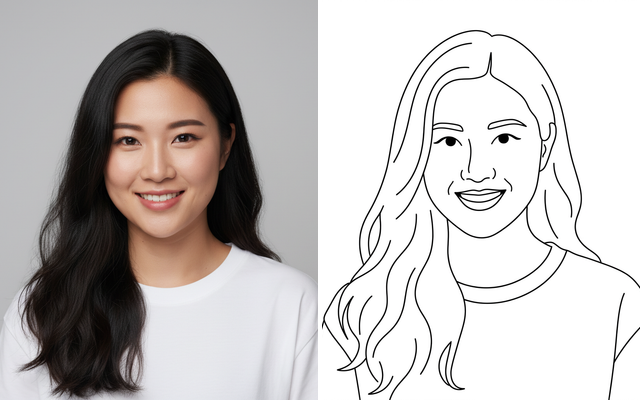
Here's the portrait used for this tutorial — a studio shot with a plain background:

Step 2 — Adjust three sliders
The tracer converts the photo to grayscale, smooths it, finds the edges and thins them into lines. You control it with three sliders, and the preview updates as you drag:
- Line detail — how much structure survives. Low values keep only the main silhouette; high values pick up eyelashes and fabric weave
- Line weight — thin pen lines for tracing, or thicker outlines for coloring pages
- Smoothing — tames skin texture and fur. Photos of people usually want this a bit higher
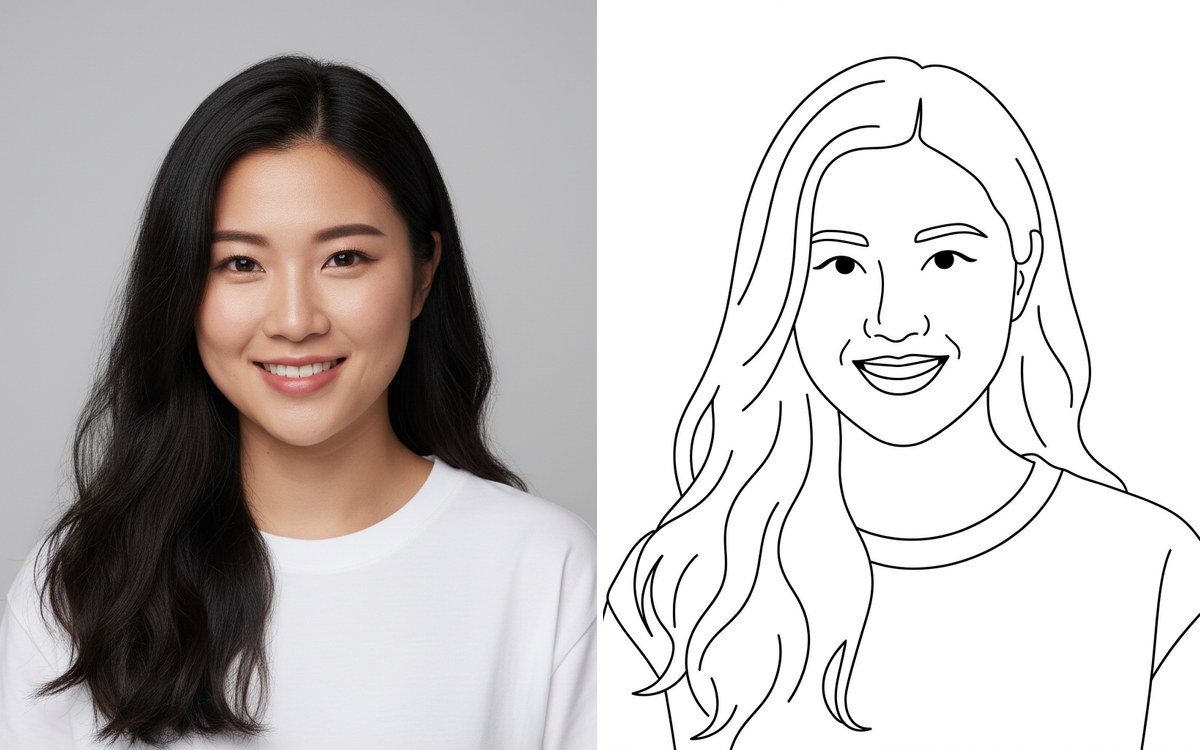
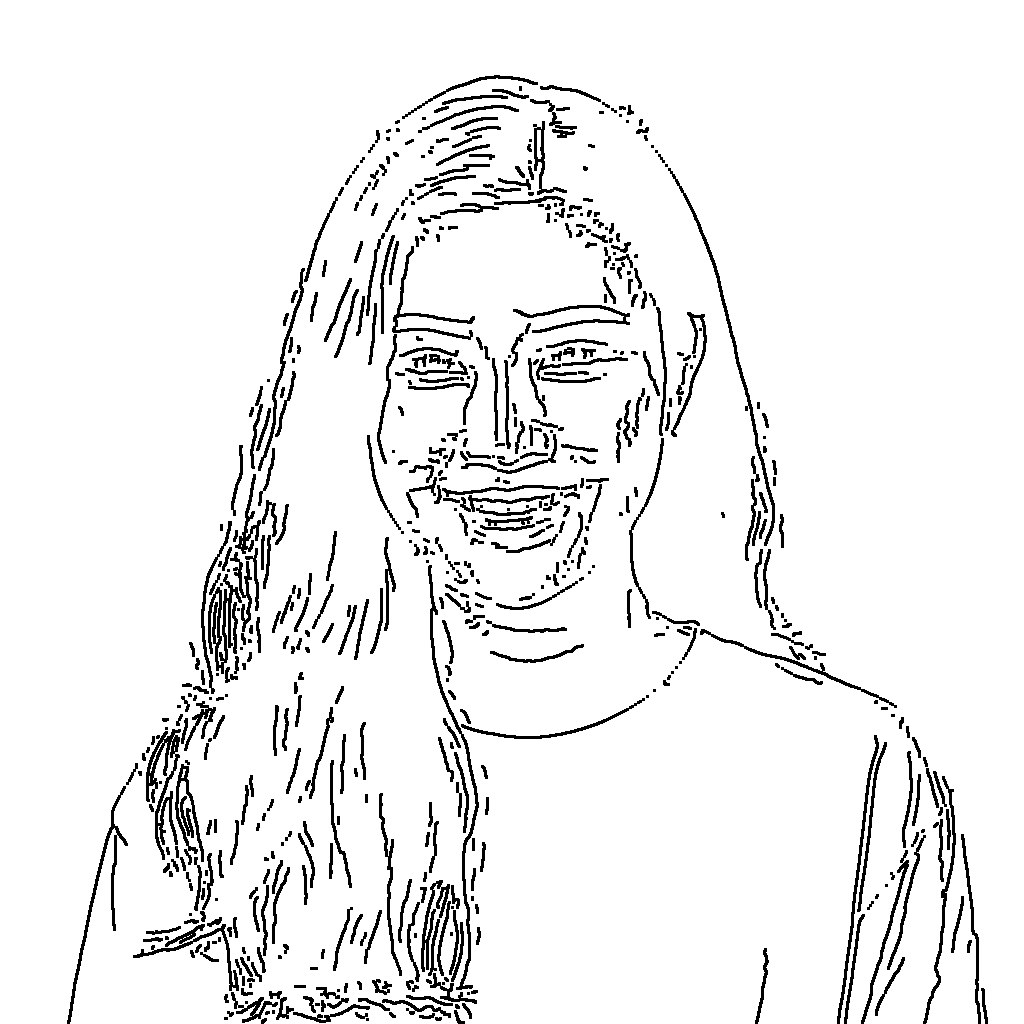
Here is the result at the default settings:
Step 3 — Download
Hit Download line art and you get a PNG at up to 2560px on the long edge — sharp enough to print on A4 at close to 300 DPI. If you plan to color it in digitally, there's also a transparent background option.
The honest caveat: edge tracing is literal. It finds real edges, so soft gradients (cheeks, shoulders) produce shorter, sketchier strokes than a hand-drawn contour, and busy textures like hair can look noisy without a touch of smoothing. For coloring pages and tracing references it's exactly what you want; for a "drawn by an artist" look, use method 2.
Method 2 — AI redraw for clean, printable line art
The AI redraw mode takes a different approach: a top-tier image model looks at your photo and draws it again as line art — deciding what to keep, what to simplify and where a line should flow. It costs 9 credits and takes about 10–30 seconds.
Pick one of three styles:
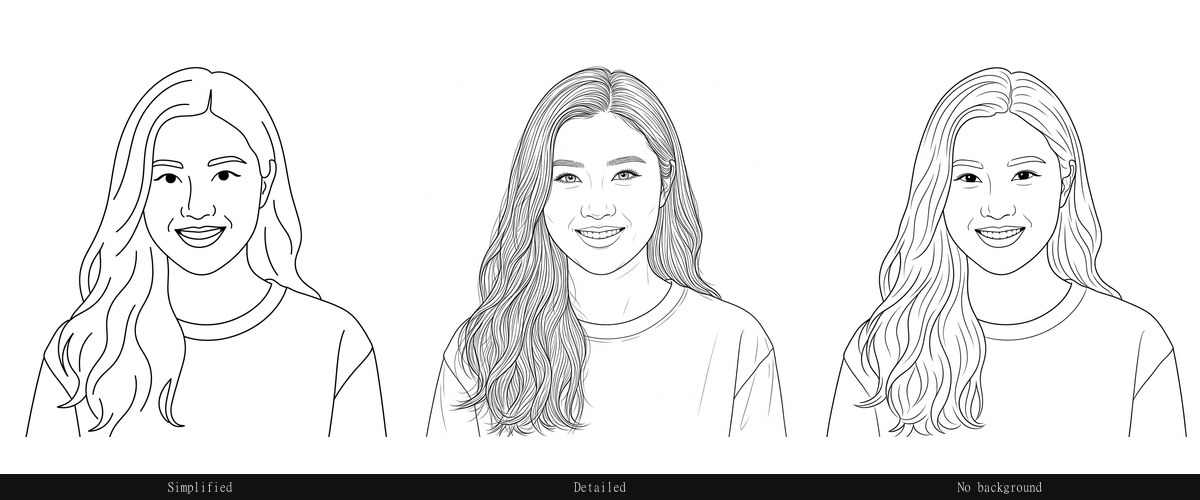
- Simplified — main shapes and contours only. The best starting point for coloring pages and beginner tracing
- Detailed — keeps every contour: hair strands, foliage, architecture. Better for study and reference
- No background — cuts the background out entirely and leaves the subject on white
Notice the face in those three panels: same person, same smile, same proportions. Identity preservation is the main reason this guide recommends AI redraw over generic "sketch filters" — cheap filters redraw the face until your friend stops looking like your friend.
Which method should you use?
| Free tracing | AI redraw | |
|---|---|---|
| Cost | Free, unlimited | 9 credits per image |
| Speed | Instant, offline-capable | 10–30 seconds |
| Resolution | Up to 2560px (your photo's size) | About 1K |
| Fidelity | Literal edges, no interpretation | Re-interpreted, cleaner lines |
| Best for | Coloring pages, tracing refs, quick outlines | Polished prints, gifts, "artist quality" results |
They're not competitors — a common workflow is to try the free tracer first, and if the result looks too busy, regenerate with AI.
It works on more than faces
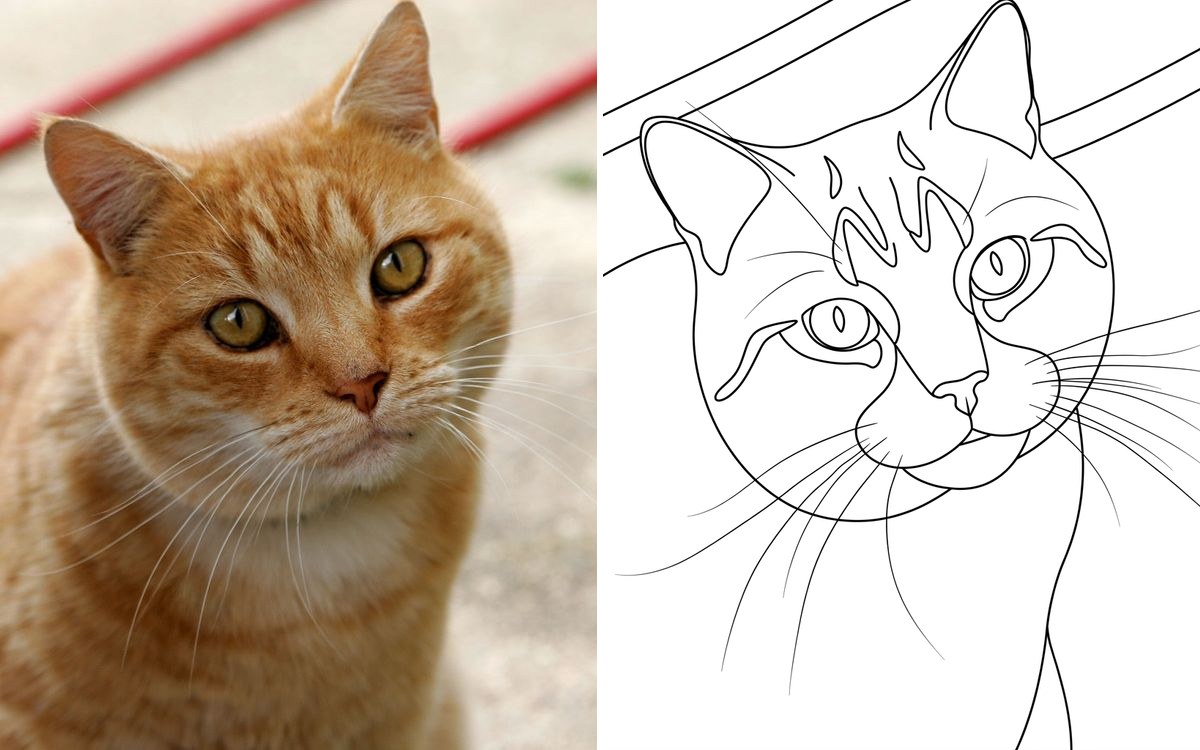
Pets trace surprisingly well because fur edges are strong. This cat came out with clear whiskers and a readable silhouette:
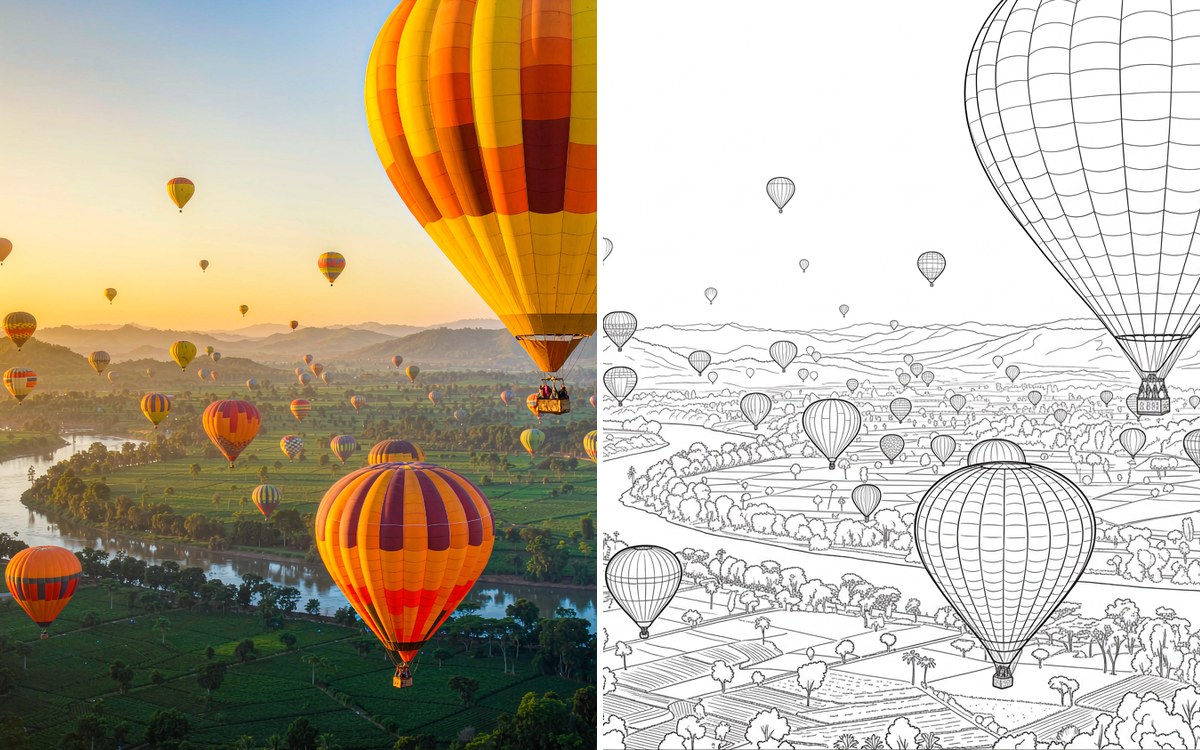
Landscapes and buildings are the free tracer's home turf — hard edges everywhere:
Tips for a cleaner line drawing
- Start with contrast. A subject that stands out from its background traces far better than a low-contrast snapshot
- Raise Smoothing for people and animals, lower it for buildings and products
- Crop before you upload. Less clutter means fewer stray lines — the crop tool takes ten seconds
- For coloring pages, use Simplified + thicker line weight, so small hands have room to color inside the lines
FAQ
Is it really free? The browser tracing mode is free and unlimited — no sign-up, no watermark, and your photo never leaves your device. AI redraw costs 9 credits because it runs a top-tier image model.
Can I print the result? Yes. Free mode keeps your photo's resolution up to 2560px, which prints A4 at close to 300 DPI. Upload the largest photo you have if print quality matters.
Will the AI version still look like the person? In our testing, yes — same facial structure, expression and hairstyle. But AI does reinterpret detail, so double-check faces before using it as a tracing reference.
What photos work best? Clear subject, decent lighting, uncluttered background. Phone photos are fine; you don't need a studio shot.
Where do the images go? Free mode: nowhere — it runs in your browser. AI mode: the photo is sent for processing and the result is stored temporarily so you can download it.
Ready to try it? Turn your photo into a line drawing →